The easiest and fastest way to reach our support team is directly through the Monflex app or by emailing us.
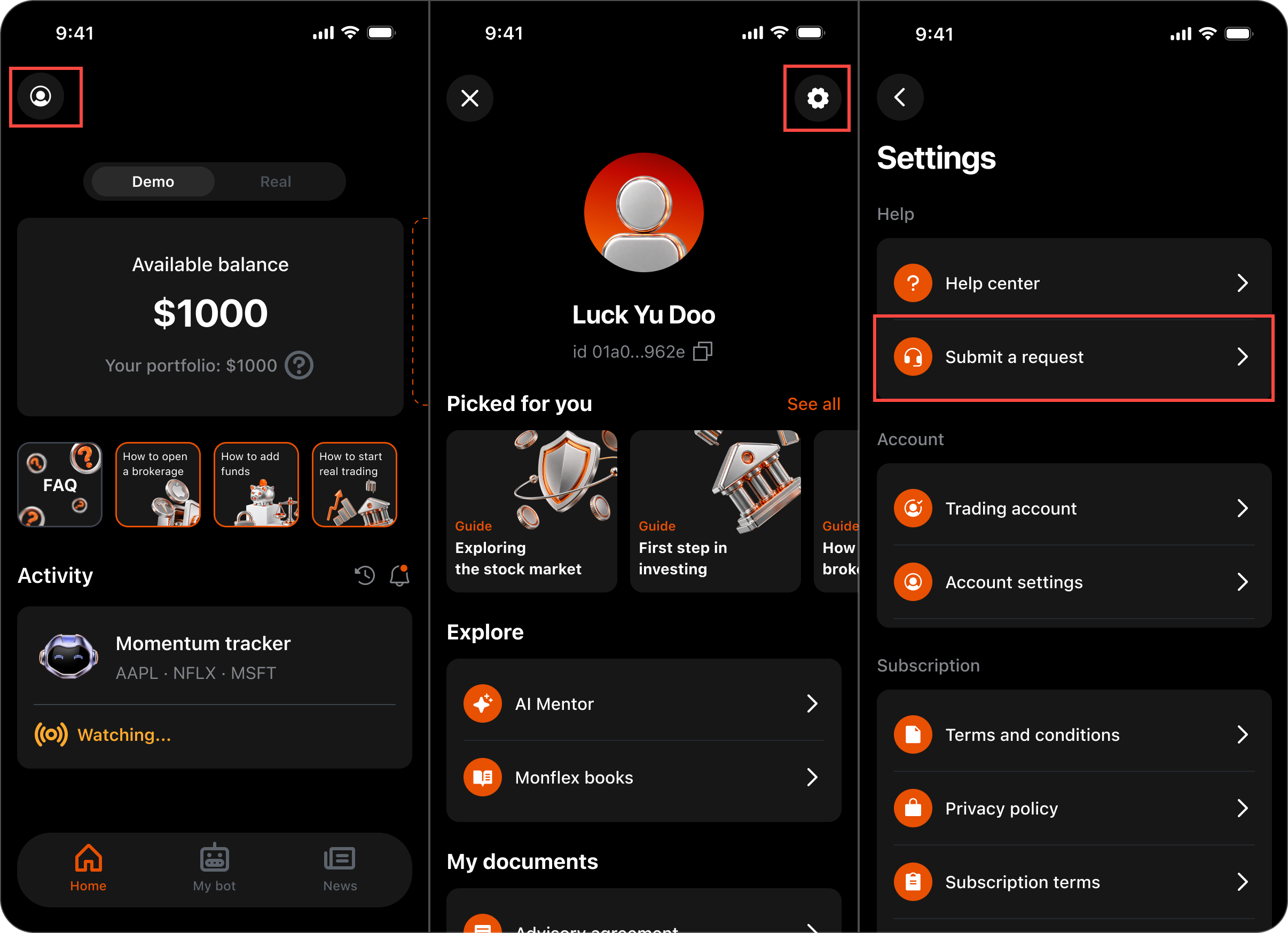
Steps to contact support in the app:
- Open the Monflex app on your device.
- Go to your Profile section by tapping the Profile Icon in the Home Page.
- Tap the gear icon at the top of the page to open Settings -> Help.
- Tap Submit a request.
This opens a ticket form where you can describe your issue or question. Submitting a ticket this way automatically links your account details, helping our team review and resolve your request much faster.
If you have any questions, contact us at support@monflex.io or submit a ticket.