Alpaca requires this information for Real accounts. You can skip it when opening your account and add it later. The app will remind you with a pop-up.
1. Trusted Contact
A Trusted Contact is a person we can contact if we can't reach you about your brokerage account.
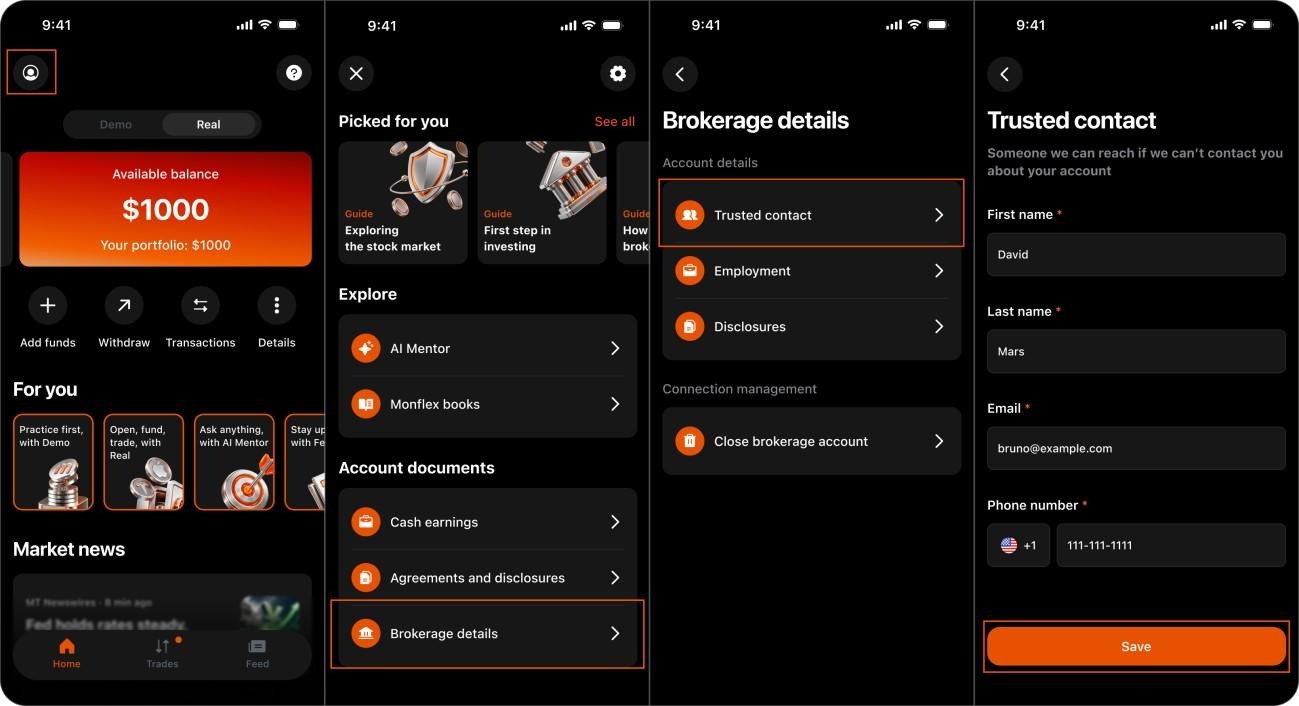
Tap Add now on the "Add a trusted contact" prompt on Home, or go to Profile → Account documents → Brokerage details.
Under Account details, tap Trusted contact.
Enter their first name, last name, email, and phone number (all four are required) and tap Save.
2. Employment Status
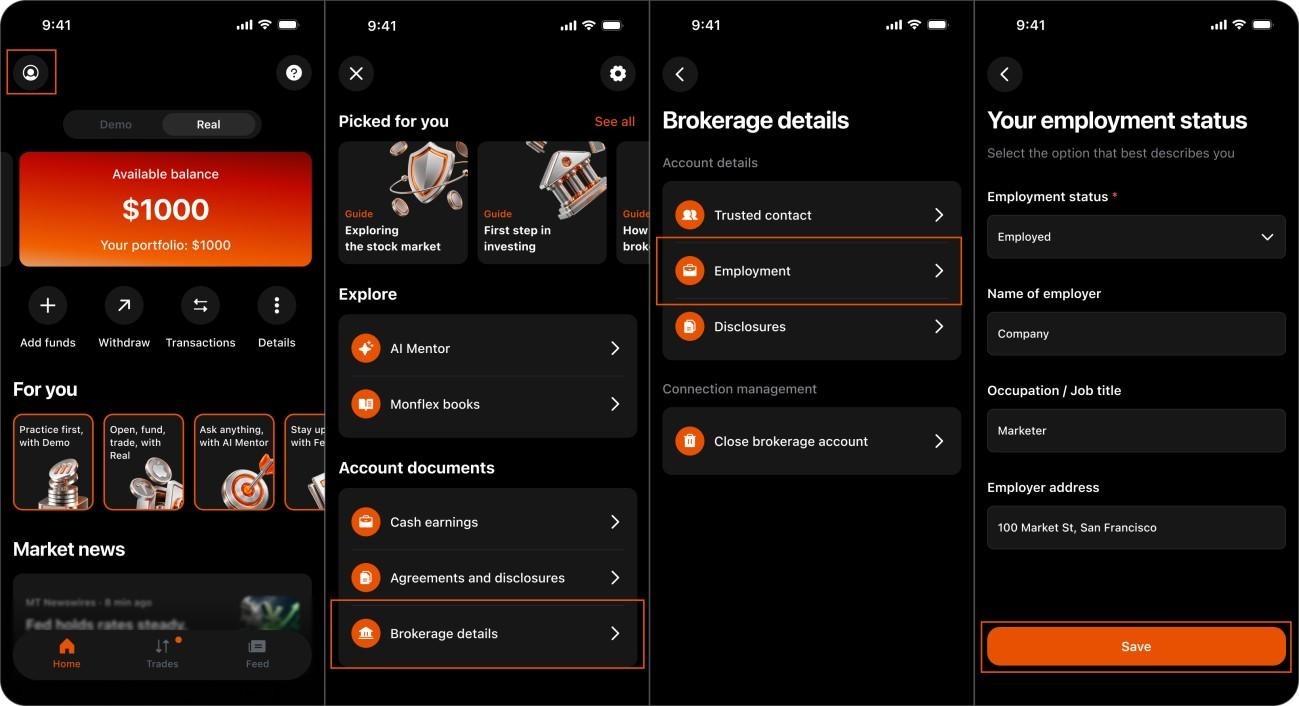
Tap Add now on the "Add employment details" prompt on Home, or go to Profile → Brokerage details → Employment.
Choose your status:
Unemployed: Select it and tap Save.
Employed: Select it, enter your employer, job title, and employer address, and tap Save.
If you have any questions, contact us at support@monflex.io or submit a ticket.